Every Wi-Fi network on your infrastructure is making a security trade-off, whether anyone designed it on purpose or not. The question isn’t “is this network secure?” — it’s “how secure does this network need to be, and does the architecture deliver that?”
In my book Wireless Security Architecture, I break each enterprise Wi-Fi use case (managed devices, headless/IoT, contractors, BYOD, guest, and all the other weird ‘things’ on the network) into architecture decisions that fall into three relative tiers: high, medium, and low security.
Here’s the short version of how I’d break down Wi-Fi security posture (and recommended configurations) for the most common case — managed users on managed devices.
Would it be helpful to see screenshots or short video walk-throughs of popular Wi-Fi products?
Also I realize that while I’ve been speaking at conferences and posting on LinkedIn, I need to add more Wi-Fi security technology primers and cheat sheets/guides here.
Relative Wi-Fi Security Posture for Managed Users on Managed Devices
High Security Design
Ideal for financial services, healthcare, federal and DIB, or any high-value intellectual property.
- WPA3-Enterprise Only
- Certificate-based EAP authentication method (EAP-TLS)
- Preferably TLS in TEAP (or TTLS, or PEAP) tunnel to mitigate inner TLS version vulnerabilities
- Consider 192-bit mode for the most sensitive environments (note vendors may lock certain settings in this mode)
- Authenticate both the endpoint *and* the user (can be chained in TEAP, or evaluated with any advanced RADIUS service or NAC product)
- MAB or any MAC-based authentication prohibited
- Peer isolation enabled (aka interstation blocking)
- Zeroconf protocols blocked (mDNS, Bonjour, UPnP)
- Proper configuration and hardening of RADIUS/AAA server and connections
- Proper RADIUS server certificate validation pushed through MDM or GPO
One more thing worth flagging: even a "high security" SSID with dynamic VLANs is still a single broadcast domain sharing group keys. Hole 196 — a 2010 vulnerability that's still viable today — is an insider attack that exploits exactly that trust assumption. It's rare, and there are usually easier ways in, but it's a reason to think hard before you collapse everything onto one SSID.
Zero Trust Strategy for Managed User-Based Devices
Devices that fall into this class are a good fit for ZTNA, SASE, or SSE solutions. In modern zero trust architectures, the goal is to not extend access or authorization based on the network a device is on. If your organization is following a zero trust strategy in which all access to internal assets is managed at the software layer via ZTNA/SSE, then otherwise trusted/secured endpoints can be put on any network with Internet access. Just ensure your architecture meets compliance regulations you may be responsible for.
Medium Security Design
Applicable to typical security-conscious organizations, not maximum-sensitivity.
- Same WPA3-Enterprise Only baseline as High Security Design with lessened restrictions
- Authenticate the endpoint *or* the user.
- MAB or MAC-based authentication is allowed if segmented from fully authenticated 802.1X devices
- Peer isolation selectively disabled based on needs
Low Security Design
For the organization that values agility over security, little or no compliance requirements or already has a strong zero trust strategy, and/or a university with non-traditional user populations.
- MAB and MAC based authentication used widely
- Peer isolation used only on guest and Internet-only SSIDs
- Zeroconf allowed
Other Notes and Considerations
Notice what doesn’t change across all three tiers: WPA3-Enterprise Only with AES-CCMP-128 as the floor (AES-GCMP-256 if you’re running Wi-Fi 7), and EAP methods locked to an encrypted outer tunnel (PEAP, EAP-TTLS, EAP-TEAP).
Remember, these are managed/known users on corporate-managed devices. You are in control of the configuration, settings, apps, etc.. Well, unless we’re talking higher ed, which is another can of worms for another day and typically falls in the ‘Low Security’ tier. Having said that, many universities are already making the switch two WPA3 on Eduroam. Security tiering is about *how much* you layer on top of a solid baseline, not about whether the baseline exists.
Addressing Other Use Cases
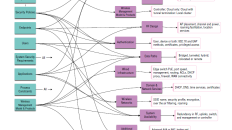
This is one small slice of the full high/medium/low framework — the book also covers headless devices, contractors, BYOD, and guest networks, each with its own tiered requirements and a summary chart you can hand to your team.
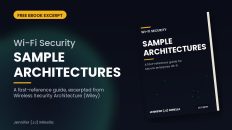
The e-book below is an excerpt of the book’s appendix C which covers architecture planning guidance for these use cases:
- Managed User with Managed Device
- Headless/Non-User Based Devices (IoT)
- Contractors and Third Parties
- BYOD / Personal Devices (with internal Access)
- Guest Networks (Internet-only access)
- BYOD / Personal Devices (Internet-only access)
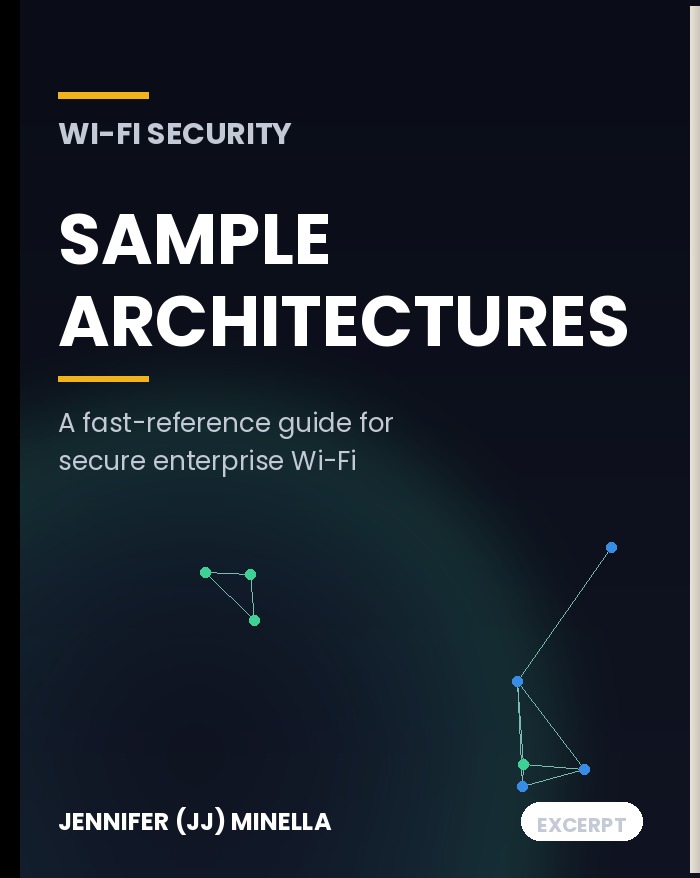
Download the full Sample Architectures
? Download eBook: Wi-Fi Security Sample Architectures
It’s the appendix from Wireless Security Architecture: Designing and Maintaining Secure Wireless for Enterprise (Wiley), unmodified — all three tiers and use cases with short explanations, laid out as a reference.



Add comment